Software 2.0: a Security-Critical Project Where I Don't Read the Code
When can you stop reviewing LLM-authored code? Three properties make it possible - and most projects don't have them.
- No Reviews, No Manual Coding
- LLMs Perform Best on Narrow, Detailed Missions
- Verification, Not Testing
- Quick Feedback Loops
- Should You Be Reviewing LLM-Authored Code?
There’s been lots of rancor online about whether you should read and review LLM-authored code. I wanted to share a project we’ve been using in production for months where I rarely review any of it: ShellSyntaxTree.
ShellSyntaxTree is a parser that attempts to create AST representations of both bash and PowerShell commands using a shared tree representation and parser abstractions, albeit with slightly different grammars to accommodate the quirks between the scripting languages.
SST is an essential tool for powering one of my other projects: Netclaw - a “claw”-style autonomous AI assistant. We use SST to power Netclaw’s approval system for requesting humans to authorize commands: netclaw.dev/architecture/security-model.
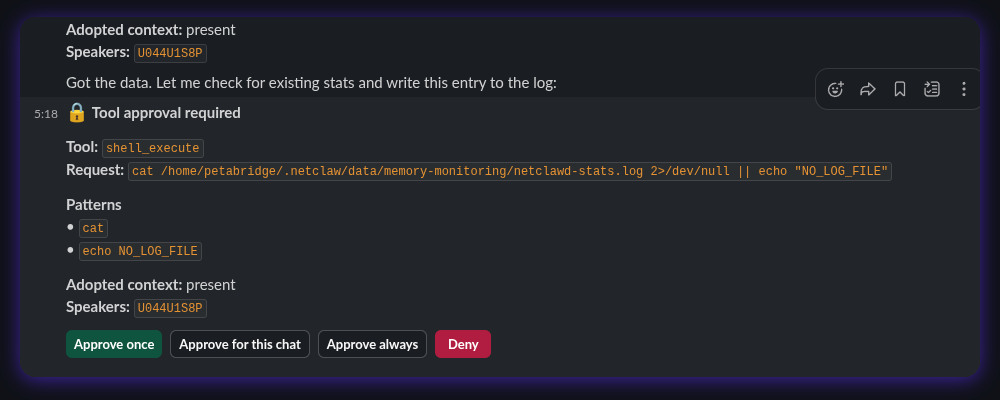
SST isn’t a security tool, but it sits inside a security decision. Netclaw auto-approves commands by matching them against pre-approved patterns - git pull, gh pr view - and SST is the layer that extracts those patterns from the raw command string. Get the parse wrong and Netclaw can auto-approve commands the user hasn’t blessed or prompt for commands the user already has.
The screenshot above is a live example of that: SST parsing echo NO_LOG_FILE for the approval prompt, separating the echo verb from the NO_LOG_FILE input. The challenge we’re always working on is determining parsing rules for safely extracting arbitrary command patterns that can be automatically approved later or in some cases, automatically denied / always prompted / etc.
How can we consistently recognize and distinguish the echo command verb from the NO_LOG_FILE input? That’s the kind of improvement we’re always trying to make to SST.
No Reviews, No Manual Coding
Codex has been running headlessly for about 2.5 days on SST with a goal to improve our existing bash and PowerShell syntax representation to include things like loops, inline variables, heredocs, pipe operators, etc.
I spend a lot of time working on the specifications, mining examples and counter-examples out of Netclaw instance logs, and defining some test infrastructure running large corpuses of commands through SST with their expected parse results.
But I feel free to leave the agents implementing SST unattended and trust them to make good decisions for three reasons:
- SST has really good constraints that make its mission highly focused, even though the range of scenarios it has to cover is unbounded;
- On the spectrum of how “verifiable” a piece of software is, SST sits on the very high end - and it’s partly due to SST’s focus that makes this so; and
- SST has an extremely powerful and fast feedback loop because I also own its primary consumer, Netclaw. Any faults undetected via the original verification system get added back into the suite, making it somewhat antifragile.
LLMs Perform Best on Narrow, Detailed Missions
An essential ingredient for having a project where the LLM can competently implement it with little oversight is narrow focus.
I designed ShellSyntaxTree with an LLM-achievable mission intentionally, by making the following design decisions early:
- It makes zero promises about safety or about what’s in the environment. “What is this command and how is it structured?” is all that SST is designed to do. Netclaw handles the policy layer by gradually accumulating approval data from the human-in-the-loop over time.
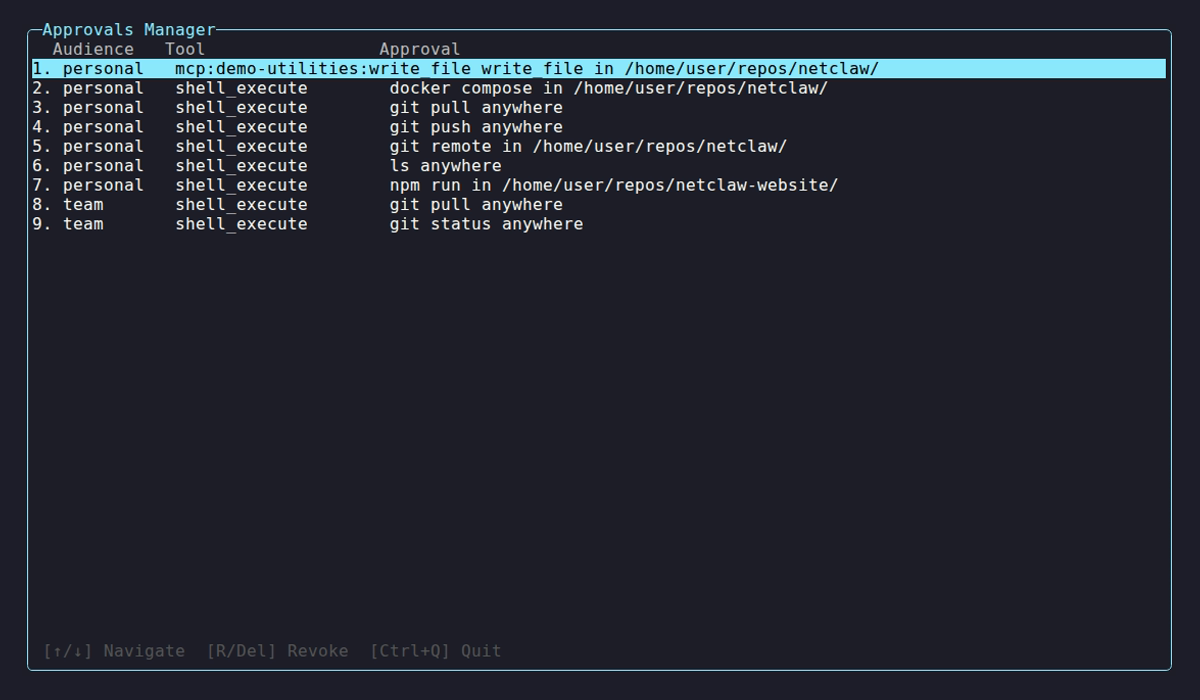
- When a command reaches a threshold where it’s too complex to analyze (i.e. relies on external variables, other forms of dynamic execution) it barfs and warns the caller that this can’t be analyzed
- Unified consumer-facing model for both Bash and PowerShell parsing + abstract syntax tree representation but allow different grammars for bash and PowerShell.
This acts both as a conformance mechanism for the LLM to bridge SST’s parsing grammars back into a unified representation but also as a pressure-relief valve in the event that PowerShell / bash / anything else we want to analyze in the future have idiosyncratic differences that can’t be easily modeled using a unified model.
This is important: don’t back the LLM into a corner.
Avoiding the question of “is this command safe to run?” and “how is this command connected to every facet of the runtime environment?” keeps SST’s mission very achievable via static analysis, which is the goal.
We’re not trying to understand what the command does, we’re trying to isolate and determine what are the key commands and how do they work?
Verification, Not Testing
I don’t need to look at most of ShellSyntaxTree’s code because it’s one of the rare projects where it lives in an extremely highly verifiable space.
What’s the difference between verification and testing? Verification tries to be exhaustive by design; testing is meant to be indicative.
We extracted thousands of LLM-invoked commands from Netclaw instances, sanitized and generalized them, and turned that into a training corpus for the original bash parser.
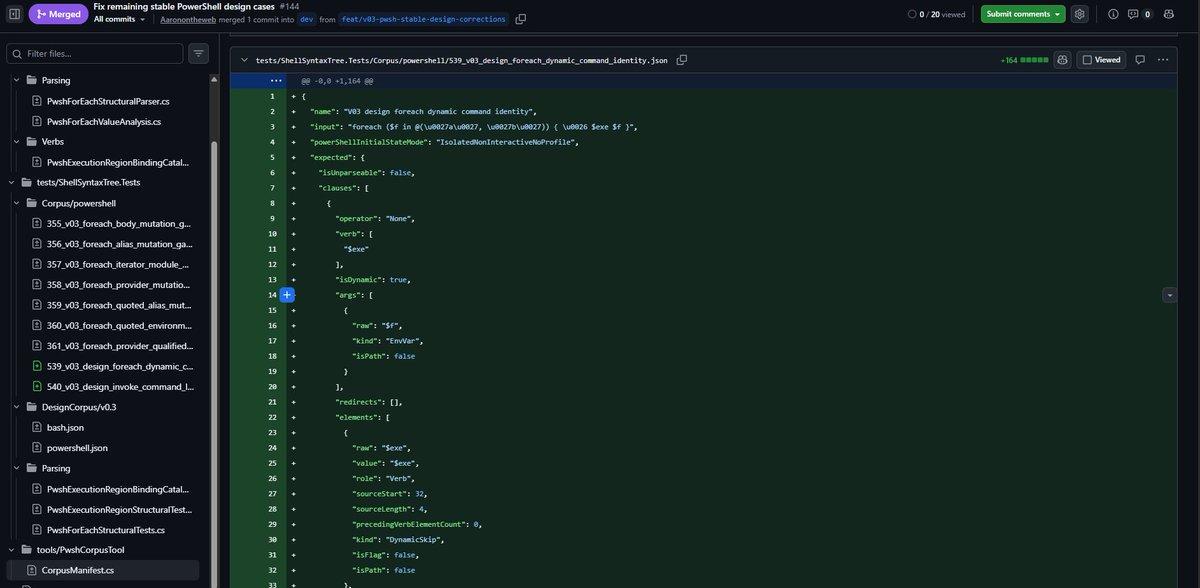
For PowerShell we synthesized the corpus using the same types of use cases modeled in bash originally, but reconstituted as PowerShell invocations. We support both PowerShell Core (7.1+) and the older PowerShell distribution bundled directly into Windows (5.1).
We run thousands of these commands through the AST for both PowerShell and bash and ask “can we accurately detect what this command is trying to do and does it emit the correct-looking AST representation?”
If we find outliers and we make modifications to the parser, the entire back-catalog gets regression tested too. This ensures that there aren’t wide swings in behavior.
ShellSyntaxTree benefits from being cheap to verify - the parser can roll through thousands of these cases in under a minute.
It’s not possible to cover every possible combination of shell commands anyone could ever construct, but that’s not what we’re aiming for: recognizing and parsing allowable patterns in each scripting language is sufficiently ambitious for us.
You can even extend verification to things like the consumer API itself. In the .NET space there’s a number of ways of doing this - over on the Akka.NET project we essentially print the entire public API surface for each runtime we support and then use the Verify library to snapshot-test it: github.com/akkadotnet/akka.net/blob/dev/src/core/Akka.API.Tests/CoreAPISpec.cs
Quick Feedback Loops
Each time we tinker with the ShellSyntaxTree parser, we dogfood pre-release builds of SST back into local builds of Netclaw and measure “what sorts of commands could Netclaw reliably recognize?”
This includes both “things that shouldn’t have been approved” / “things that should have been auto-approved based on prior human approvals.”
We do see regressions; we do see new cases; and we see lots of success with the prior SST improvements that we made.
In any case, we can analyze these failures quickly - a day or two of heavy agentic coding / debugging / research is all it takes to surface some new and interesting patterns. We feed these back into the same process that produces each update of ShellSyntaxTree and it gets more and more robust each time.
This is an antifragile, rapid development process that helps keep Netclaw’s policy layer and SST’s syntactic analysis layer more robust.
Should You Be Reviewing LLM-Authored Code?
ShellSyntaxTree is a great example of a project that would not exist if I had to read the code. Yes, I have written an AST parser / lexer / interpreter by hand before and I really enjoyed it - but:
- My understanding of the extent and full syntax of bash or PowerShell is not nearly comprehensive enough to model it exhaustively and I have NO INTEREST in learning it.
- I would never have had the time or interest to implement this by hand were it not for LLMs implementing it for me.
This is not a toy application. Netclaw has thousands of active installations that all depend on SST. I apply the requisite level of quality control to ensure that SST produces robust and complete analysis of shell commands to the extent that is feasible within SST’s constraints.
Me reviewing AST parsing and testing code would add approximately zero value to SST. What I do look at, are the following two things:
- Does the consumer guide for SST make sense / are the ASTs ergonomic enough that an external consumer could actually make use of them? This is a “developer experience” exercise, not quality assurance.
- Is SST working within its constraints? Is Netclaw asking me to approve things that should already be approved because it can’t understand the command syntax?
This is product management, not software development. And this presents a really exciting frontier for software developers - the ability to escape “output volume constraints” that were previously limited by our time, attention, and typing speed.
But to answer the broader question: you should definitely be reading most LLM-authored code in order to understand what it does.
SST’s mission is simple and I understand what it does, but I’m going to treat reviewing its internal plumbing like looking at a regular expression - yeah, I kind of get it, but I would never intentionally sit here and practice getting good at writing them by hand.
Writing end-user applications is a different animal: you have user data, secrets, connections to external and internal systems, and lots of other auxiliary concerns that are difficult to verify affordably.
SST is the rare exception to a lot of these rules, but the three lessons I spelled out above (narrow focus + constraints, inexpensive to verify, fast feedback loops) are what make “fully unattended coding” possible - and unfortunately, at least for now, that doesn’t apply to the vast majority of software projects.
Two parting thoughts I’ll leave you with:
- Verifying your software might be easier than you think - you’ll never know until you try. You don’t have to go full TLA+ right away, but maybe something simpler like property-based testing or writing simple verification programs (“make sure all links on our web app and transactional emails aren’t broken for authenticated users” - you can 100% make this verifiable). The more you can verify, the less risk you need to take on personally as a reviewer.
- You should still be reading what LLMs can produce, because there are important things that fall outside of the verifiable space. Does the DX make sense? Is the UI easy to follow? How easy is it to access this popular piece of functionality inside our application? This is not the same as code review - this is that “product manager”-type work I described earlier. This is still absolutely crucial for humans to do.
You can rage online at how the software industry is changing and how we’re all going to hell if we don’t keep LGTM-ing code, but the sensible goal is to need as little human code review as possible, preferably none.
SST is the rare project where this is possible to a large extent today. Having more intelligent, capable large language models helps - having robust verification systems and fast feedback loops is better.
Discussion, links, and tweets

I'm the CTO and founder of Petabridge, where I'm making distributed programming for .NET developers easy by working on Akka.NET, Phobos, and more..
Tweet Follow @Aaronontheweb