
Layout System
Termina uses a declarative, tree-based layout system inspired by modern UI frameworks. Instead of imperatively positioning elements, you describe your UI as a tree of layout nodes and let the framework handle measurement and rendering.
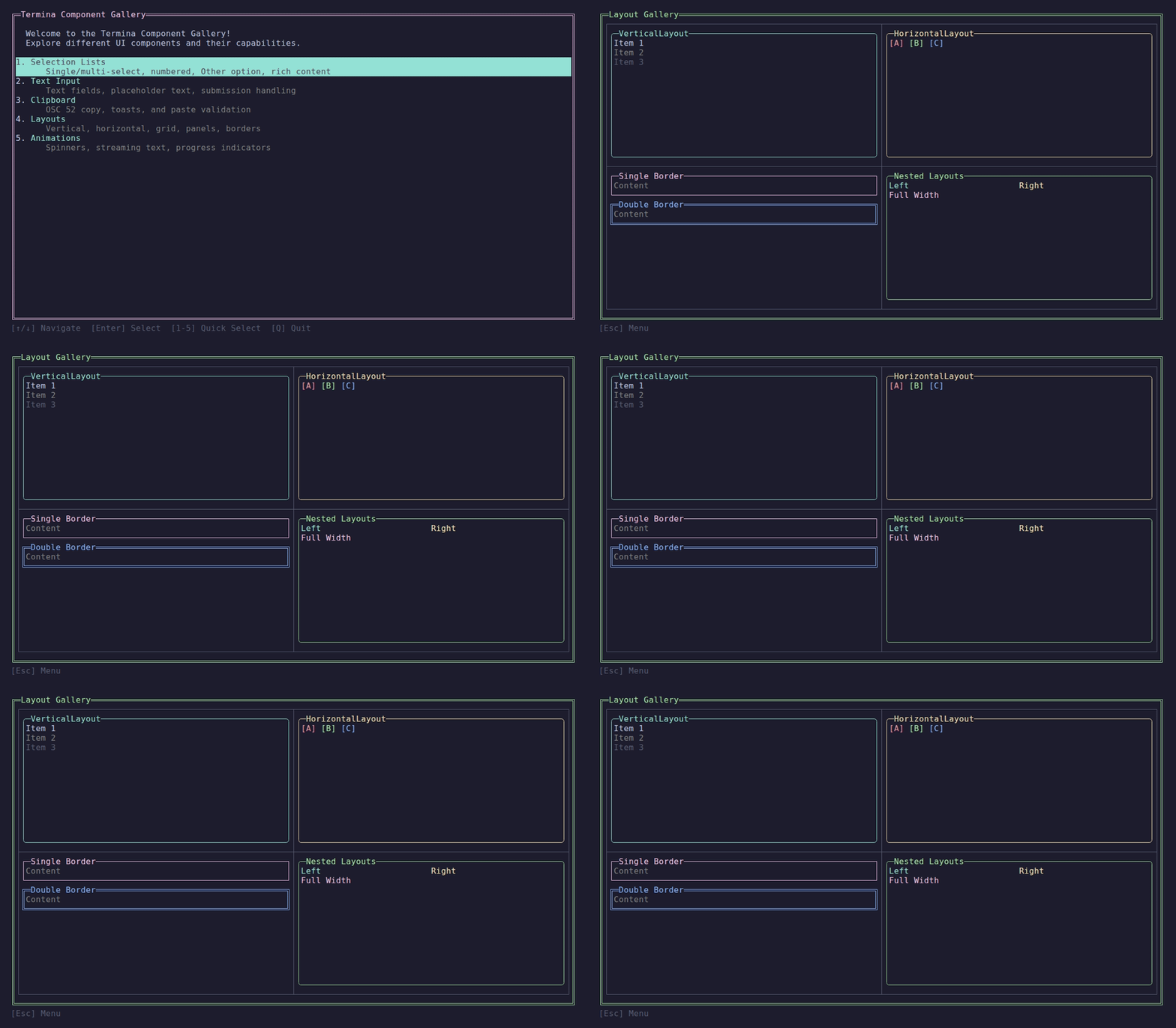
Vertical, horizontal, panel, and nested layouts.
How It Works
Every UI in Termina is built by implementing BuildLayout() in your page:
public class MyPage : ReactivePage<MyViewModel>
{
    protected override ILayoutNode BuildLayout()
    {
        return Layouts.Vertical()
            .WithChild(new TextNode("Header").Height(1))
            .WithChild(new TextNode("Content").Fill())
            .WithChild(new TextNode("Footer").Height(1));
    }
}The layout system processes your node tree in two phases:
1. Measure Phase
Starting from the root, each node is asked how much space it needs given the available space. Container nodes recursively measure their children.
Available: 80x24 (terminal size)
    └─ VerticalLayout measures children
        ├─ Header: 1 row (Fixed)
        ├─ Content: 22 rows (Fill = remaining)
└─ Footer: 1 row (Fixed)2. Render Phase
Once measurements are complete, each node is given its final bounds and renders its content to the terminal.
Layout Nodes vs. Container Nodes
Layout Nodes render content directly:
TextNode- Text with stylingPanelNode- Bordered panel with titleSpinnerNode- Animated spinnerTextInputNode- User text input
Container Nodes arrange children:
VerticalLayout- Stack children top-to-bottomHorizontalLayout- Stack children left-to-rightGridNode- 2D grid with consistent column/row sizingStackLayout- Overlay children (z-stack)ScrollableContainerNode- Scrollable content area
Fluent API
All layout nodes support a fluent API for configuration:
new TextNode("Hello")
    .WithForeground(Color.Cyan)
    .Bold()
    .Height(1)
.Width(SizeConstraint.Fill());Container nodes use .WithChild() to add children:
Layouts.Vertical()
    .WithChild(header)
    .WithChild(content)
.WithChild(footer);Size Constraints
Every node has HeightConstraint and WidthConstraint properties that control sizing. The four constraint types are:
| Constraint | Description | Example |
|---|---|---|
Fixed(n) | Exactly n rows/columns | .Height(3) |
Fill(weight) | Take remaining space | .Fill() |
Auto | Size to content | .HeightAuto() |
Percent(n) | n% of available space | .Height(SizeConstraint.Percent(50)) |
See Size Constraints for details.
Next Steps
- Size Constraints - Understanding Fixed, Fill, Auto, and Percent
- Vertical & Horizontal - Container layout patterns
- Grid Layout - 2D grids with consistent sizing
- Nesting Layouts - Composing complex UIs
- Responsive Design - Handling terminal resize